
SPACECRAFTDB

Space Base 101

Mission Spacebase

Deploy a planetary base to claim a deposit.

Objectives 12
  1. 1

    Unlock the Personal Factory permit.

  2. 2

    Gather the following in your inventory: Concrete Plate1 Motor Coil Wire

  3. 3

    Craft a Construction Tool.

  4. 4

    Press Menu Character to open the character screen, then equip your Construction Tool.

  5. 5

    Get a Control Base Kit in your inventory.

  6. 6

    Talk to Terminus Company Rep in Helicon

    Target: Helicon NPC: Terminus Company Rep
  7. 7

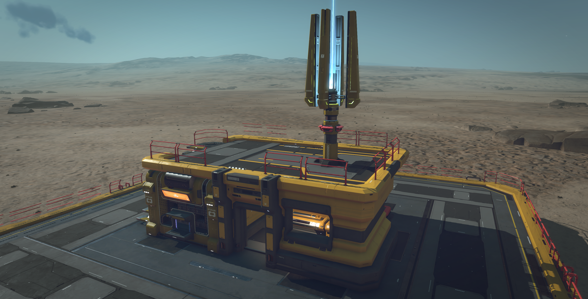
    Build a B Control Base near an [dep] to claim it. You can visit the Mining Bureau of any sector to locate an available deposit.

  8. 8

    Approach the detected [dep]

  9. 9

    Approach the detected [dep] and scan it

  10. 10

    Press Descend over a flat surface to descend until you land close to the deposit

  11. 11

    No [dep] was found nearby. Take off and find another place.

  12. 12

    Deploy your base using Deploy

Intercom 1
Terminus Company Rep

Congratulations on deploying your first B Control Base! This base will provide you with some private storage and limited power input, but this is just the beginning. In order to automate resource extraction, you’ll need to deploy an B Extractor and a B Smelter.